How to add cart recommendations to Shopify
RecoReady's cart block suggests products using the items already in the basket. It leaves Shopify's cart and checkout in place.
Install and choose a plan
Install RecoReady from Shopify App Store and choose Free, Standard or Growth in Shopify. Free includes the cart block for stores within its limits.
Let the catalog sync
The app prepares candidates from active, sellable products. Cart suggestions can appear before the store has an order history; purchase signals improve them over time.
Add the cart block
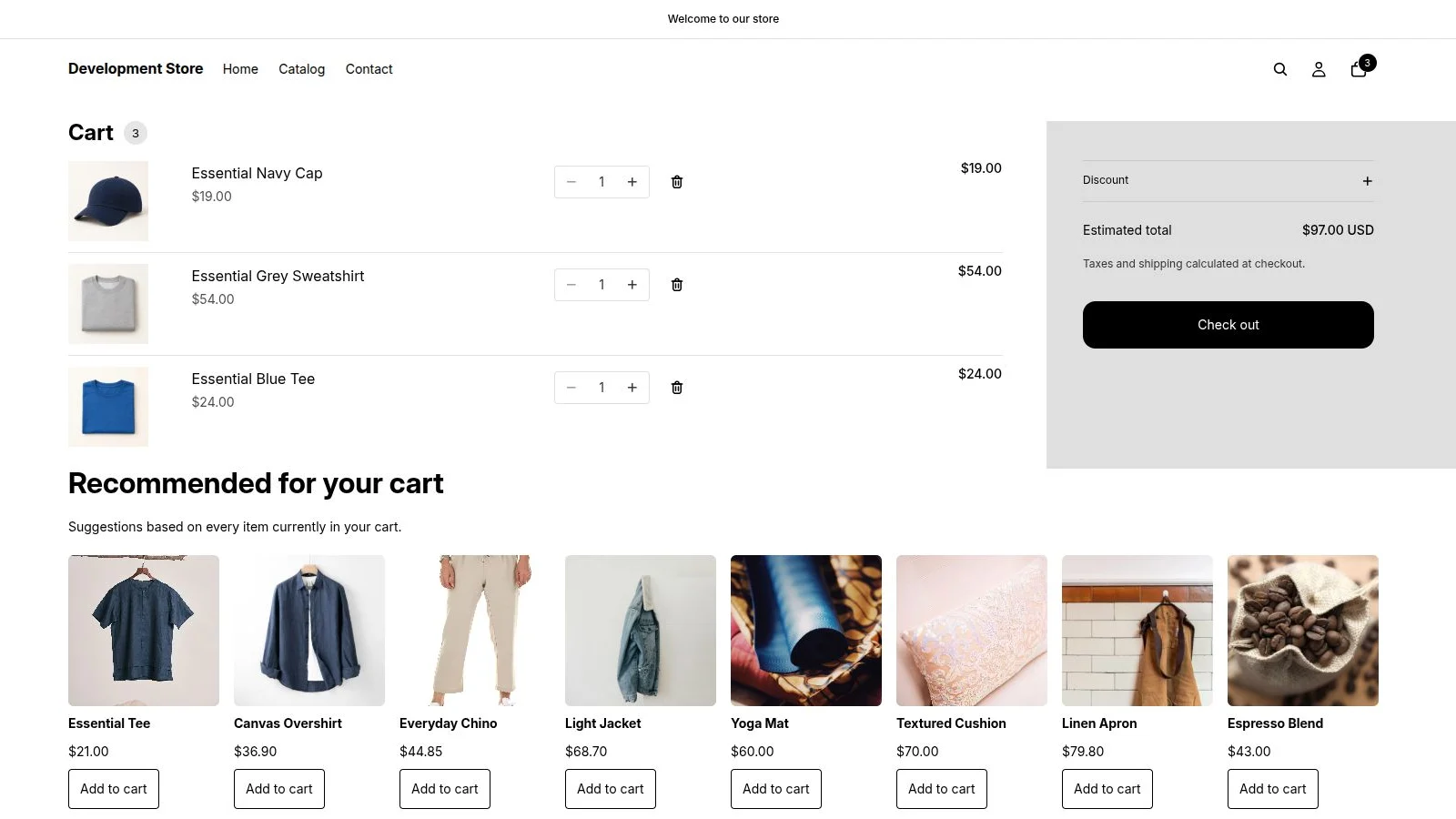
Open Shopify's theme editor, go to the cart template, add the RecoReady block named Recommended for your cart and save the theme. You do not need to set product rules.
Check the result
Put several products in the cart and open it as a shopper. RecoReady excludes products already in the basket. Try Add to cart on an available suggestion and verify the native cart updates.
A new or tiny catalog may have few sellable candidates. The block degrades safely if recommendations are temporarily unavailable.
Install from Shopify App Store